Run Builds
Running a build is the core action in your CI/CD process. It initiates a predefined sequence of steps such as compiling code, running tests, validating artifacts, and preparing outputs for deployment.
In BuildNinja, builds are executed using build configurations, which define what the build does and how it runs. You can manually trigger a build and customize its runtime behavior using the Run Build dialog. This dialog allows you to review and customize build inputs before execution, including runtime parameters, VCS branch selection, and execution for a specific commit.
The dialog is organized into the following tabs:
-
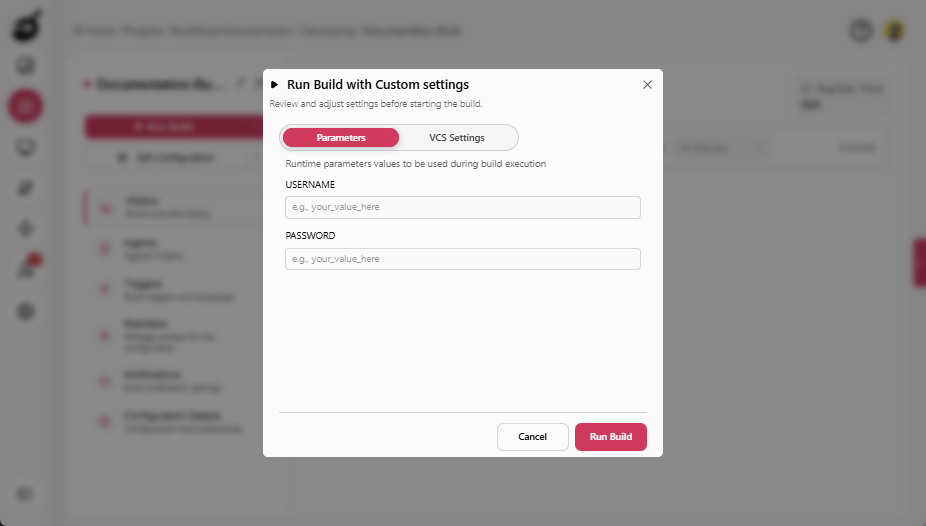
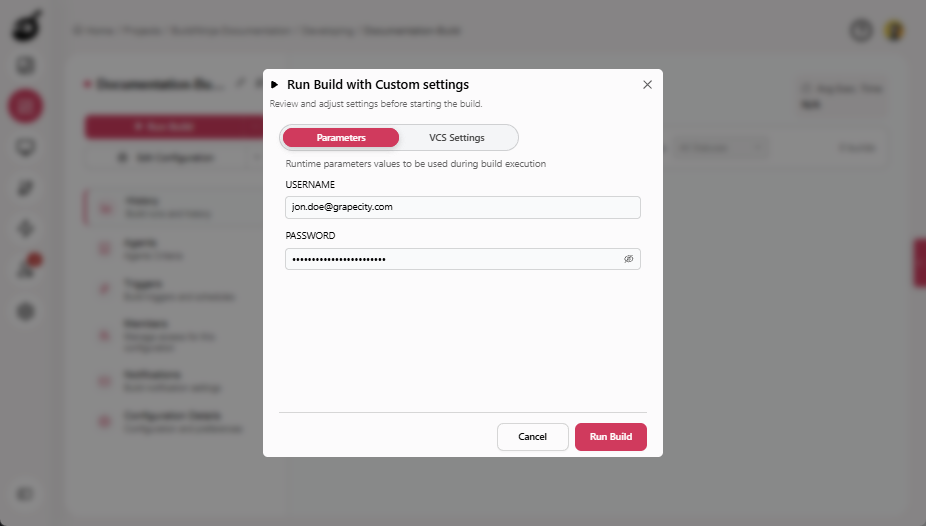
Parameters (Default): Used to configure runtime parameters for the build. It displays all parameters marked as Prompt on Run, each with a name and an input field. All parameters are optional, and protected parameters are displayed as password fields. You can modify parameter values as needed before running the build.
-
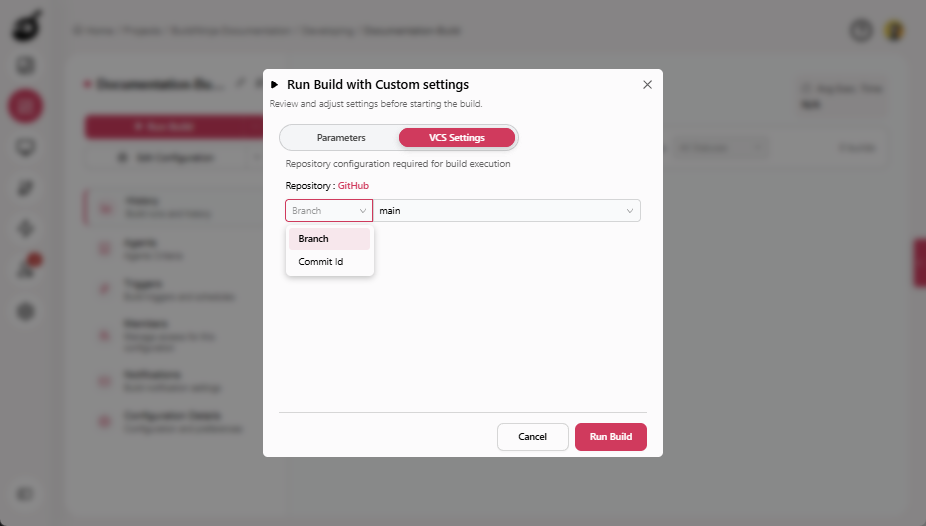
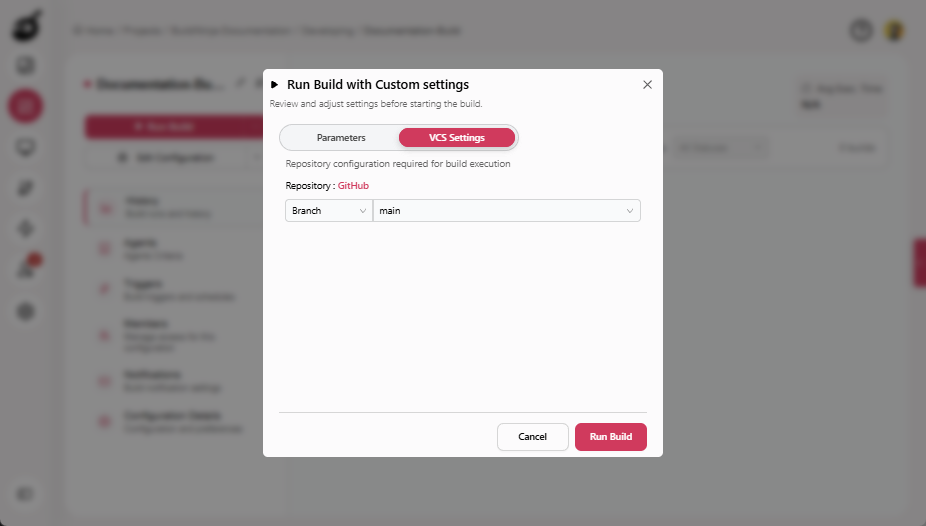
VCS Settings: Used to configure repository-specific inputs for the build. For each configured repository, you can select a branch from the available list, enter a custom branch name if required, or provide a commit ID to run the build for a specific commit. If a commit ID is provided, it overrides the selected branch. If branch data cannot be fetched for a repository, the branch list may appear empty. For builds with multiple repositories, VCS settings are displayed in a scrollable view.
Run Build
-
Navigate to Projects
 to access the project management interface.
 -
Select the build configuration you want to run and click Run Build.
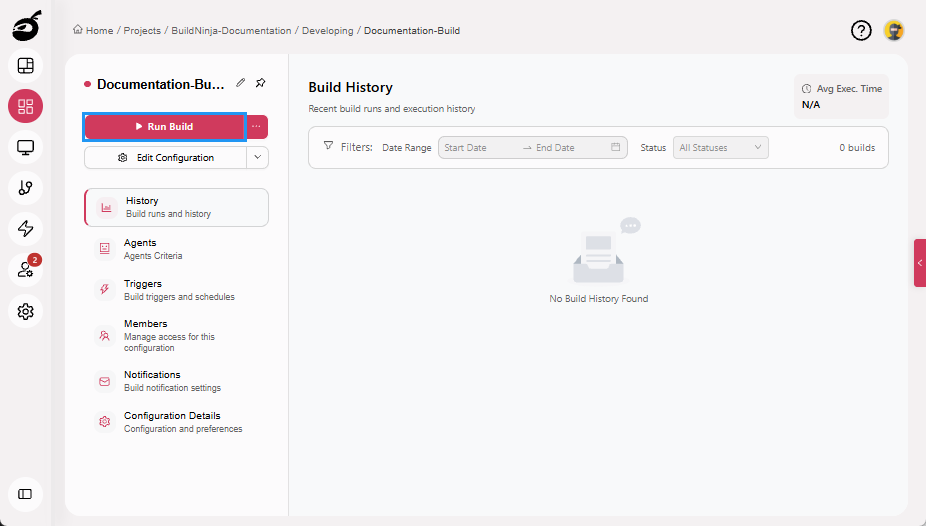
The build enters the queue and is executed automatically once an agent is available.
Run Build with Custom Settings
-
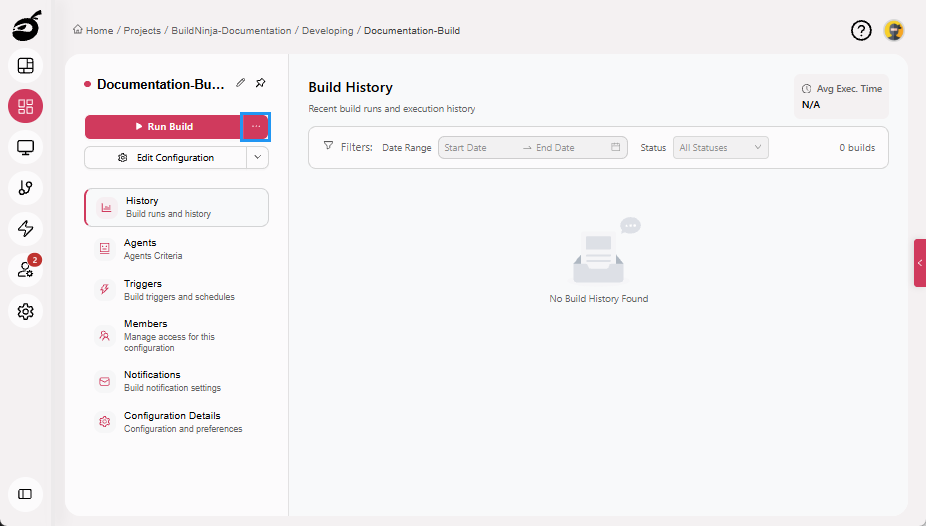
Select the build configuration you want to run and click Ellipsis.
-
Configure the Parameters and VCS Settings as required.
-
Click Run Build.
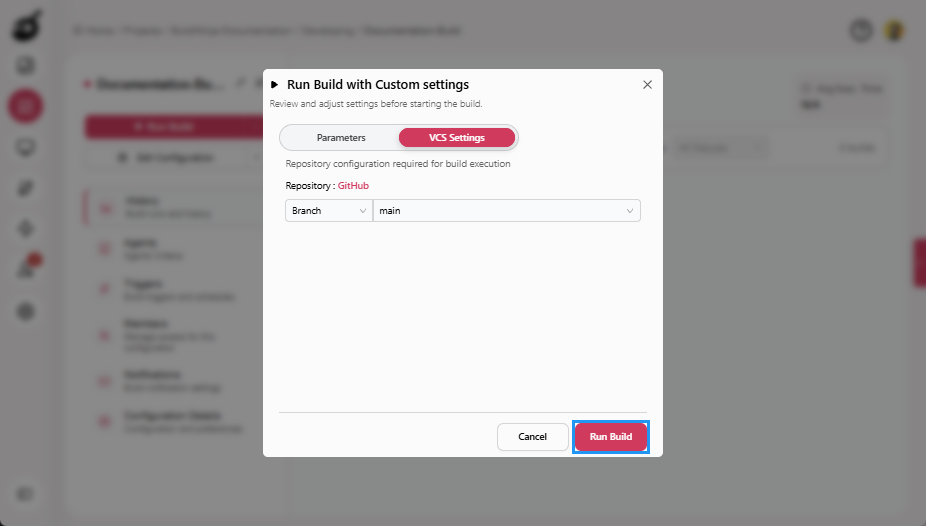 The build is submitted and enters the queue. The build starts automatically when an agent becomes available.
- You can run a build using only parameters, only VCS settings, or both.
- All inputs in the Run Build dialog are optional unless enforced by the build configuration.