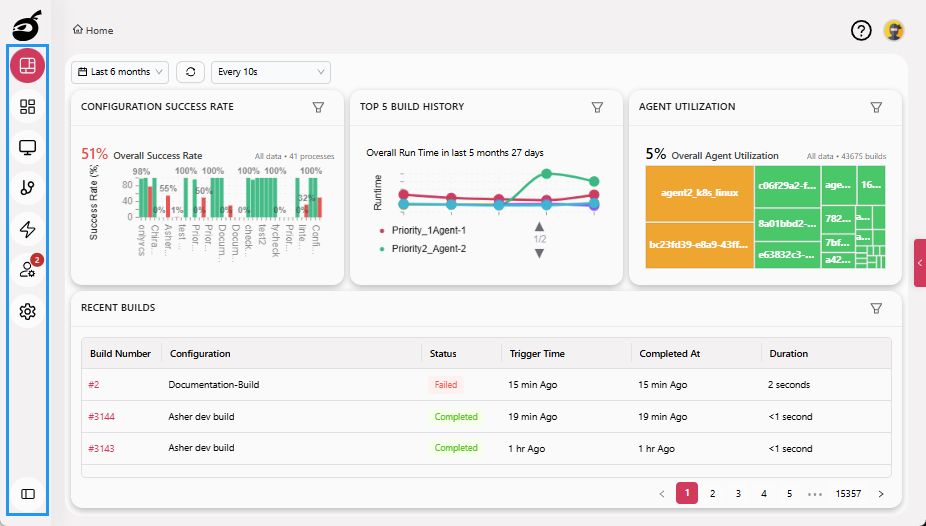
Sidebar
Sidebar serves as the primary navigation menu within the BuildNinja. It is typically anchored to the left side of the interface and provides persistent access to core features. The Sidebar includes the following key sections:
- Dashboard: Overview of recent build and deployment activity.
- Projects: Manage project-specific and build configuration settings.
- Agents: Monitor and manage build agents available to execute builds.
- Queue: View and manage builds waiting to be executed, including their priority and assigned agents.
- Trigger: Configure external or manual triggers for build execution.
- Users: Manage user accounts and access permissions.
- Settings: Configure system-wide settings such as SSO integrations.
- Expand/Collapse Toggle: Show or hide the project management tree from any page for quick access and navigation.