Triggers
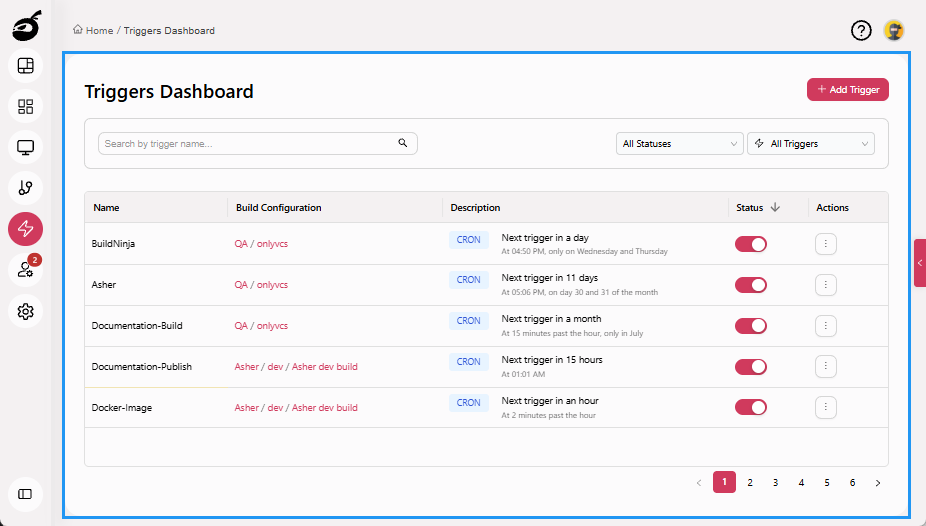
Triggers  allows you to define and manage the conditions under which a build is automatically started. This helps automate workflows and ensure builds run consistently in response to key events. Within Triggers, you can:
- View a list of all configured triggers
- Add new triggers based on scheduled times
- Enable or disable specific triggers without deleting them
- Search and filter triggers to locate relevant configurations quickly
Build triggers help teams reduce manual effort and ensure timely, automated build execution across development cycles.